Agilo Release Notes

v1.6

Agilo v1.6

🎉 A GIF for every reaction and a new way to discover Agilo.

✨ New

  • Retrospectives now feature trending GIFs from GIPHY, so fresh reactions are always close at hand.
  • New categories help you quickly find the right GIF for saying thanks, celebrating, showing support, sharing a work moment, or simply making the team laugh.
  • New Planning Poker and Retrospective pages showcase Agilo through interactive product examples.
  • The new integrations catalog explains how Agilo connects with other tools, including the Jira integration.
  • The new About Us page shares the story behind Agilo, its key milestones, and the person who founded the product.

⚡ Improved

  • GIF search now runs on GIPHY with clear navigation between trending content and categories.
  • GIF categories are easy to scan in two columns, with a one-click way back to the complete category list.
  • Interactive Planning Poker and Retrospective previews are now easier to explore on mobile screens.
Alexandr Voloshyn

Alexandr Voloshyn

v1.5

Agilo v1.5

🔊 Clearer card reveal with countdown sounds.

✨ New

  • Facilitators can now start a reveal countdown with sound before showing the cards, giving everyone a clear moment to finish voting.
  • When fun features are enabled, the reveal countdown uses the playful reveal sound and adds a final sound when estimates differ.

⚡ Improved

  • The reveal button now shows a live countdown while cards are about to open, so teams can see exactly when results will appear.
  • Audio controls now respect room permissions and only appear for users who can manage the planning poker room.
Alexandr Voloshyn

Alexandr Voloshyn

v1.4

Agilo v1.4

🧭 Faster task review and smoother timers.

✨ New

  • You can now move to the previous or next task directly inside the task modal, making planning poker review faster without closing the details view.

⚡ Improved

  • Meeting timers are now more consistent across retrospectives and planning poker rooms.
  • Timer sounds are better synchronized with the server clock, reducing early or repeated countdown and finish sounds.
Alexandr Voloshyn

Alexandr Voloshyn

v1.3

Agilo v1.3

⏱️ More flexible timer and column controls for retrospectives.

✨ New

  • You can now start a retrospective timer with a custom duration or quick presets for 1, 5, 10, 15, 30, or 60 minutes.
  • You can add more minutes while a timer is running, making it easier to extend a discussion without starting over.
  • You can pause and resume the timer when the team takes a break or switches between parts of the conversation.
  • You can delete the timer directly from the control menu when it is no longer needed.
  • You can now resize columns on the retro board, making long cards easier to review and helping the board fit the team’s discussion format.
Alexandr Voloshyn

Alexandr Voloshyn

v1.2

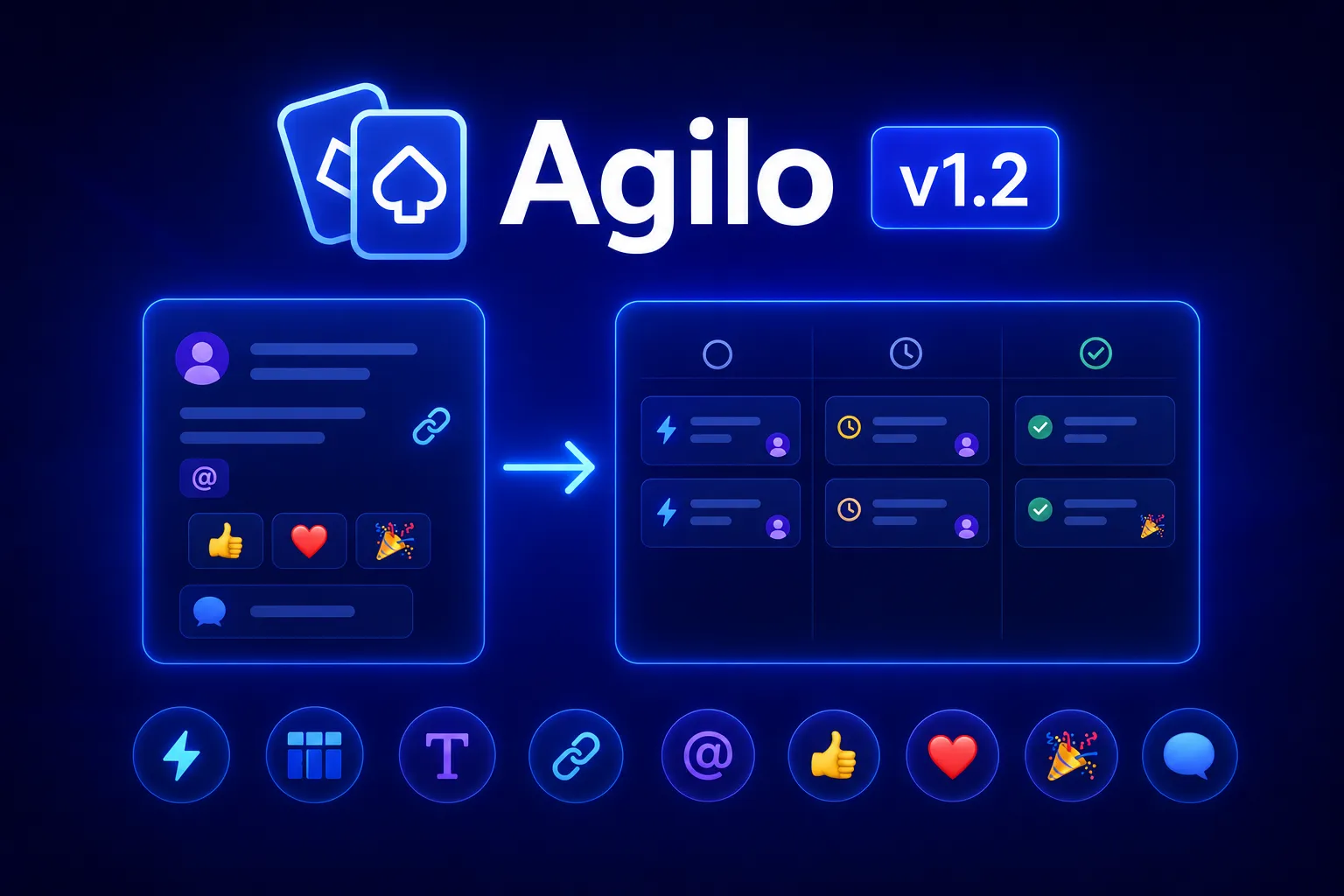
Agilo v1.2

🚀 Action items from retrospectives, Action Board, rich text editing, mentions, and smoother team retro workflows.

✨ New

  • You can now create action items from retrospective cards and keep follow-up work connected to the original discussion.
  • A dedicated Action Board lets you manage action items in columns and move them as work progresses.
  • Action items now support comments and emoji reactions, so teams can discuss follow-up work without losing context.
  • Retro cards and comments now support rich text formatting, making longer notes easier to read and structure.
  • You can add links directly inside retro cards and comments.
  • You can mention team members in retro cards, making it easier to call attention to a specific person or topic.
  • The retro header now shows recent team retrospective sessions, so it is faster to return to previous retros.
  • Admins can now view and manage teams from a dedicated admin page with filters and pagination.

⚡ Improved

  • Retro cards are easier to edit, with clearer hover states and better button behavior.
  • Role-based controls for retro cards and action items are more precise, so users only see the actions they are allowed to perform.
  • Team members can get their Google avatars imported automatically, making users easier to recognize across the workspace.
Alexandr Voloshyn

Alexandr Voloshyn

v1.1

Agilo v1.1

Agilo v1.1 makes collaboration much more team-centered.
You can now work with private teams, shared meetings, and better member management in one place.

This release is not just about adding features. It is about making everyday teamwork smoother and more structured.


🚀 What’s new in v1.1

Teams

The biggest feature in this release.

  • Create private teams
  • Invite team members by email
  • Manage member roles
  • Update team name and logo
  • Leave or delete a team when needed

Team meetings

Planning Poker and Retrospectives can now live inside a team.

  • Meetings can be linked to teams
  • Existing meetings can be moved into a team
  • Role-based permissions control who can create and manage meetings

Retrospectives

More context and more visual collaboration.

  • Add images to retrospective cards
  • Add images to card comments as well
  • When a retrospective is created inside a team, team members are added automatically
  • Giving kudos to team members in team retros is now much easier

Dashboard and navigation

Getting back to the right meeting is faster.

  • A favorites section is now available on the dashboard
  • Recent meetings view has been improved
  • The in-app release notes menu has been updated

🧱 Why it matters

Agilo v1.1 moves the product from standalone meetings toward a real team workspace.
Now teams can:

  • collaborate in one shared space,
  • manage access and responsibilities,
  • run retros and Planning Poker sessions in a team context,
  • return to important meetings faster.

This is an important step toward more structured and scalable teamwork in Agilo.

Alexandr Voloshyn

Alexandr Voloshyn

v1.0

Agilo v1.0

Agilo has grown from Planning Poker into a full-featured platform for team collaboration.

This release is the first major milestone, bringing key agile tools together in one place.

Version 1.0 is the foundation.

From this moment on, Agilo becomes a cohesive product built for real teams.


🚀 What’s new in v1.0

Planning Poker

Fast and transparent task estimation for teams.

  • Live voting
  • Simple and intuitive UX
  • Integration with
  • Custom cards
  • Role management

Retrospectives

Retrospectives that actually help teams improve.

  • Card creation
  • Card comments
  • Anonymous boards
  • Voting
  • Reactions
  • GIFs

⚡ Real-time collaboration

Collaboration without page reloads.

  • Instant updates
  • Participant reactions and activity
  • A true sense of live teamwork

🌗 Modern UI

An interface that stays out of your way.

  • Light & Dark mode
  • Clean, minimalist design
  • Fully responsive on any screen

🧱 Why it matters

Agilo v1.0 is not just a set of features.

It’s the foundation for:

  • new team tools,
  • deeper analytics,
  • integrations,
  • process automation.

We’ve built a stable base to move fast and grow without compromises in the future.


Thank you for building Agilo together with us 💙

Alexandr Voloshyn

Alexandr Voloshyn